
Upload your management agreement as a PDF, define signature and date fields, and send a link to the owner. They sign in their browser. No printing, no scanning, no posting.
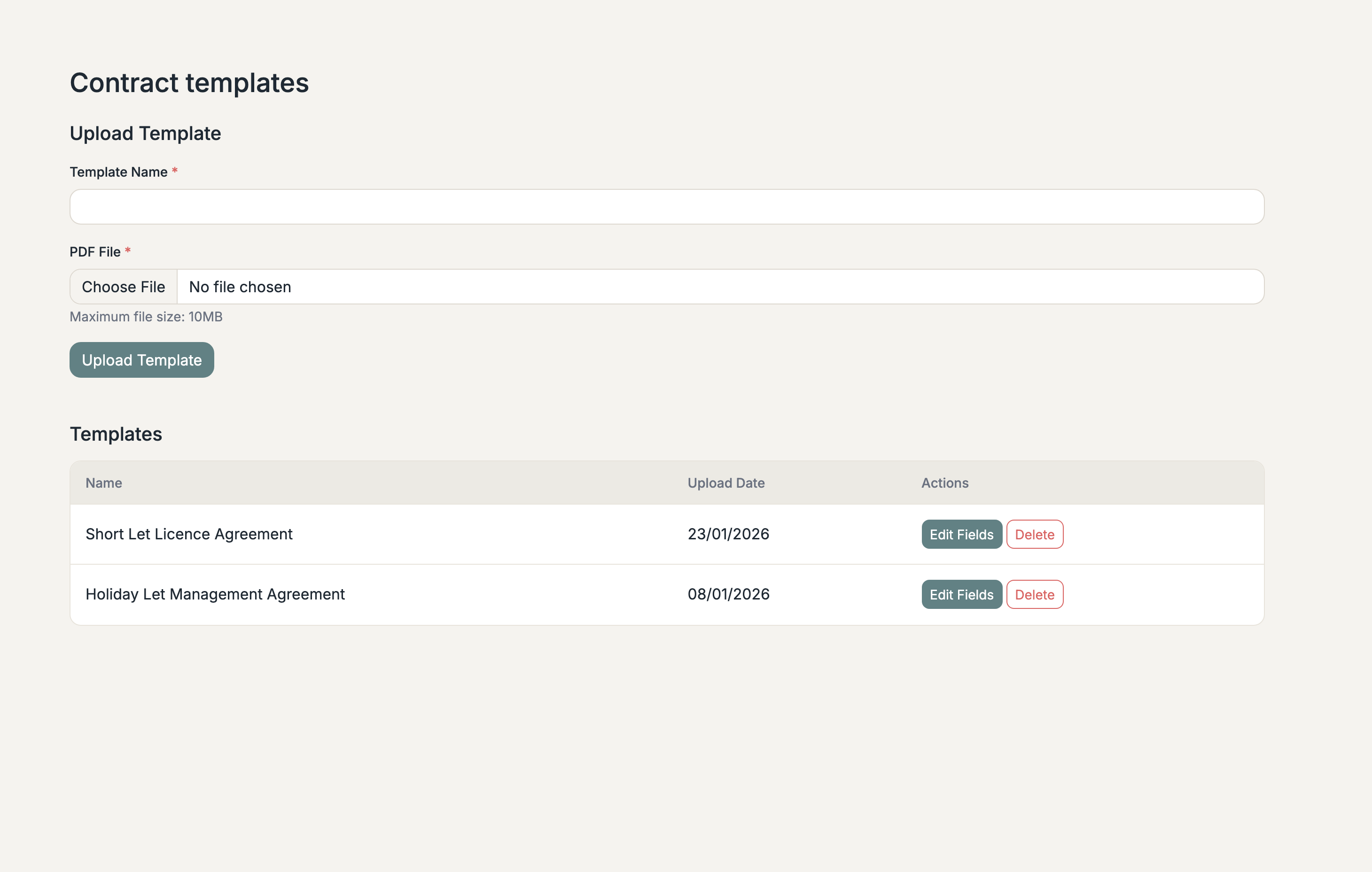
Upload any PDF as a template. Your existing management agreement, exactly as it is.
Define text, date, and signature fields. Signatures can be drawn or typed. Assign each field to the manager or the owner.
The owner receives a signing link by email. They complete their fields in the browser. No account needed.
Documents stored securely in the cloud. Full audit trail from upload to finalised contract.
From upload to signed in three steps
Upload any PDF as a contract template. Define text, date, and signature fields, and assign each to the property manager or the owner.
The owner receives a signing link. They open it in their browser, review the contract, and complete their assigned fields, including drawn or typed signatures.
Once the owner has signed, you complete your own fields and finalise the contract. The full lifecycle is tracked: Pending → Owner Completed → Manager Completed → Finalised.
Track every contract from upload to completion
Template uploaded, fields defined. Ready to send to the owner.
The owner has reviewed and signed their fields. Waiting for you to complete yours.
Both parties have signed. Contract ready for final review and sign-off.
Fully signed and sealed. Stored securely with the property record.