
Send cleaners a link. They open it on their phone, pick the property, fill in the checklist, upload photos, and submit. You see every report instantly.
Cleaners get a link, open it on their phone, and pick the property. No app to install, no account to create.
Cleaners fill in the checklist on their phone. Configurable sections and questions. Upload photos with each report.
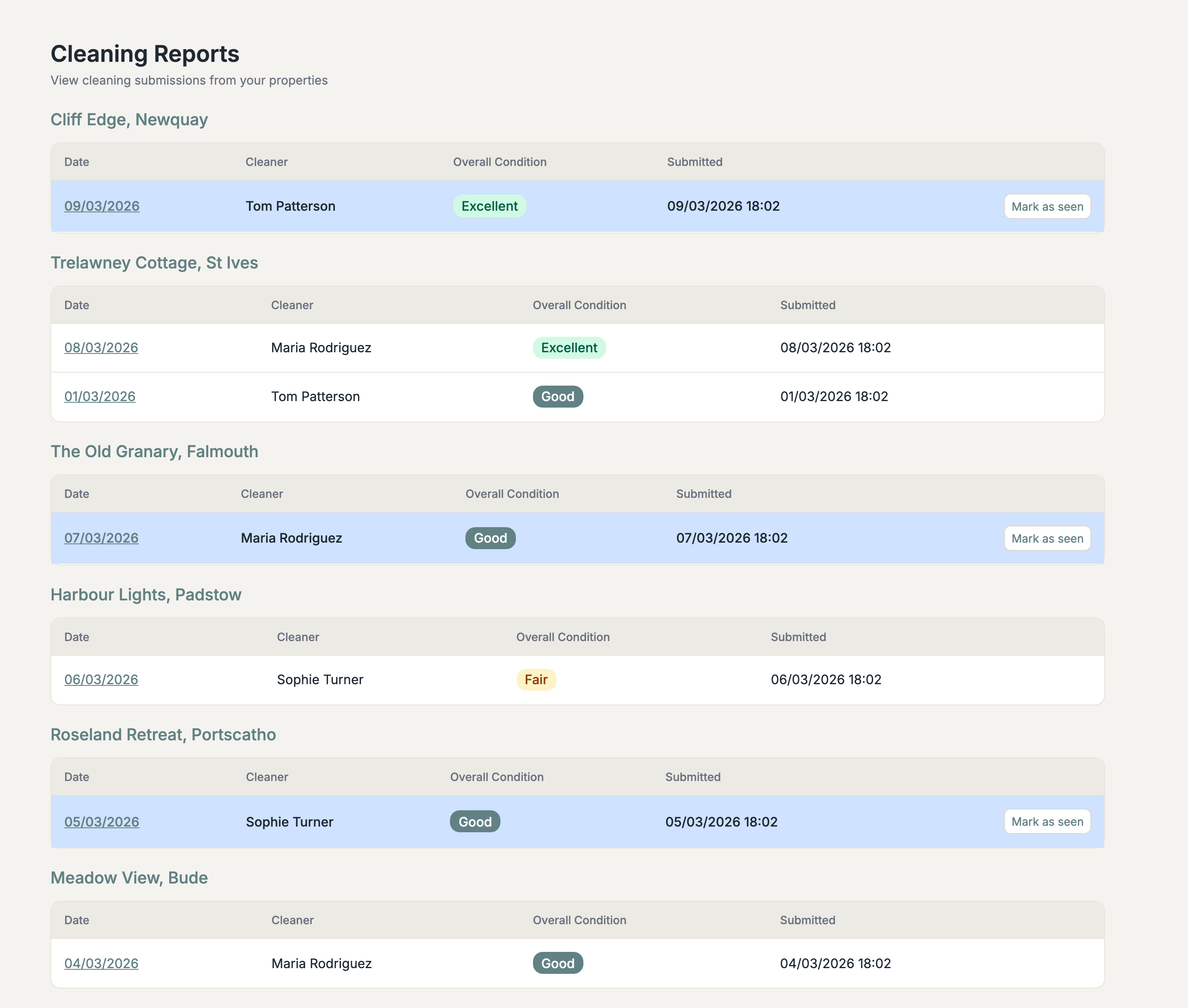
Reports appear in your dashboard the moment they're submitted. Mark as seen/unseen. Filter by property and date.
Add your own sections and questions. Reorder them. Write your own form intro text. Make it fit your process.
Simple for cleaners, useful for you
Configure your cleaning checklist with sections and questions. Share the form link with your cleaners.
The cleaner arrives at the property, opens the link on their phone, picks the property, fills in the checklist, uploads photos, and submits. No app needed. It works in the browser.
Reports appear in your dashboard instantly. See submissions by property, with date, cleaner name, and overall condition rating. Mark as seen when reviewed.
What makes the cleaning form work in practice
The form runs in the browser. Cleaners open the link and start filling in immediately. No downloads, no accounts, no logins.
Upload photos with each report. Document issues, confirm standards, or flag maintenance needs. All photos are attached to the property record.
Each report includes an overall condition rating. Spot trends over time and catch problems before they escalate.
Cleaners pick the property from the form. You can also generate per-property links or QR codes if you prefer. Submissions are automatically linked to the right property.
Mark reports as reviewed so your team knows what's been checked. Filter by property, date, or status.
Set up different forms for different visit types: cleaning checklists, maintenance inspections, or anything else you need.